Wednesday, November 28, 2012

Improve SiteLinks in Google Search Result

Sitelinks -  to improve the quality of your site links - in the site's internal links make sure you use anchor text & alt text that's informative, compact, & avoid repetition.
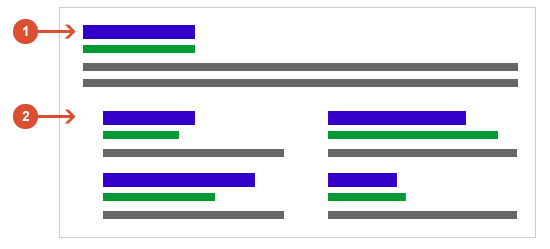


Reference - https://support.google.com/webmasters/bin/answer.py?hl=en&answer=47334
-->
Webmaster -> Configuration -> Sitelinks

For this search result box, complete the URL for which you don't want a specific sitelink URL to appear.
Demote this sitelink URL box, complete the URL of the sitelink you want to remove from site link

"Popular sitelinks may appear in the Top Landing Pages report in Google Analytics" 

Top Landing page from Google Analytic may be consider for Sitelinks,


Friday, October 19, 2012

Creating QR Code | Reading QR Code | Tracking QR Code


Creating QR for Tracking
       
-->  QR Code is where user can scan and gather the information about the advertiser through their featured mobile device, using QR we can make a different campaign (listed below) on both online and offline(printing) marketing medium and can track the user and analyze the responce using analytics and real time

Campaign Using QR

  •  QR For Website URL
  • QR for Single touch Call 
  • QR for Single touch SMS 
  • QR for Vcard 
  •  QR For Google MAP location 
  • QR for Events  

This will create a unique URL with Campaign name (this name will be visible in Google analytics under campaign link), Campaign Source (this name is shown in Google analytics by getting into medium under campaign from the list) Campaign Medium (this name is shown in Google analytics under campaign name, under medium) here you generate a big URL 

2] If you feel the URL is soo big you can short the URL with any URL shorter like http://goo.gl/, http://www.bitly.com and track the analytics provided by short URL provider

3] Copy the URL that you get from “Google URL Builder” in step 1 and create a QR code just by pasting the URL in the QR code generation tool here http://qrcode.kaywa.com/

4] Use QR Readers installed mobile and read the QR image you generate from QR Code Generator above. Then track visitors from the Campaign link in Google Analytics this campaign listed in the name given with Campaign Name given in step 1

Track QR

You can track your QR campaign in Analytic through

Traffic Source -> Search -> Campaigns